Music for business
Ads, explainers, launch videos and app screens need music that fits the brand and stays out of the way of the message. Find the page for yours, or describe it here.
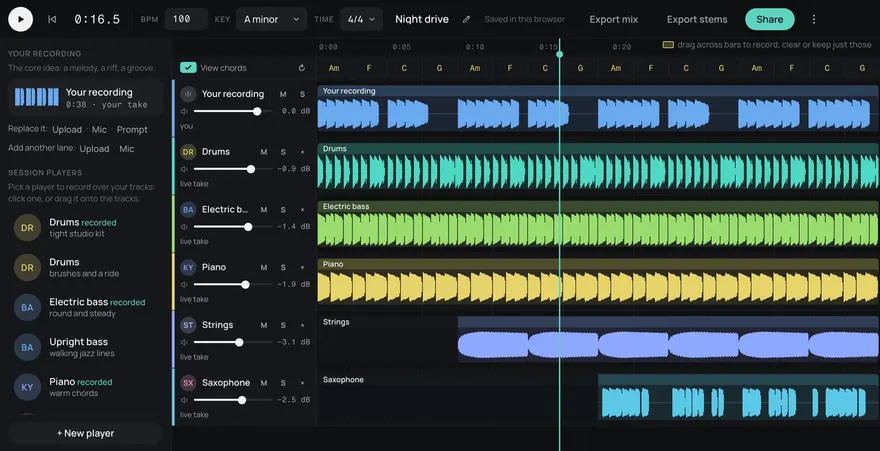
This is an example. Describe your own above and it comes like this too: solo a part, redo one, download them, or edit it in Studio.
Your songs
Songs made here
Made from these words on this page, each with its stems. Move a level, or press M or S, to hear a part on its own.
How it works
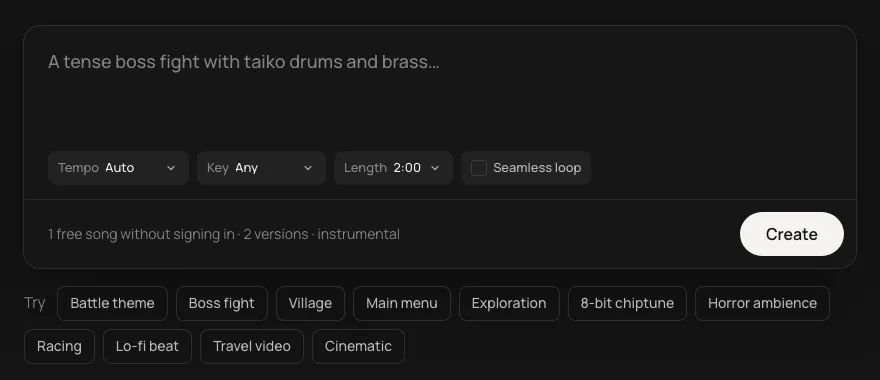
- Pick a page, or describe it here. Each page above is the same generator, set up for one use with its own ideas. Or start from an idea under the box.
- Pick the shape. Tempo, key, length, or a seamless loop. Or leave them on Auto.
- Get your track with its stems. Play it, download the mix or the stems, or open it in Studio to change the parts.
The message comes first
Music in a brand's video has a narrower job than music anywhere else: carry the energy, sound like the brand, and never compete with what's being said. That means a steady track with no lead melody under a voiceover, a clear build for a launch, and a clean ending that lands on the logo. Each page here is set up for one kind of brand work, with ideas that fit it.
Sound like the brand
Describe the brand the way you'd brief a composer. A bank might want "calm, warm piano and soft strings, nothing flashy". A sports drink might want "tight drums, a punchy bass and a bright synth hook". Pick a tempo and a key for the first track, then use them again for the next, so a series of videos sounds like one company. Keep the descriptions that worked: the same words make tracks that belong together.
Fit it to the cut
Every track comes as five stems (drums, bass, guitar, keys and other). Mute the keys under a voiceover and bring them back for the end card. Drop the drums for a quiet testimonial. Pick 30 seconds for a spot, two minutes for an explainer, or a seamless loop for an app screen or a walk-in.
The licence is plain: royalty-free for commercial use, on every plan, Free included. That covers ads, product videos, demos and apps.
Questions
Can my team make tracks from one account?
Yes. Songs come from the account's credits, so anyone signed in can make them, and the API can make them from your own tools on the same credits.
How do I get a clean ending for an ad?
Ask for it: "ends on a clear final hit" or "a clean ending at 30 seconds", and pick the 0:30 length so the track is made to finish there.
Can a business use the music in an ad?
Yes. Every track is royalty-free for commercial use on every plan, Free included, so it can go in an ad, a product video or an app. See daydream.live/terms for the full terms.
How much does it cost?
5 songs a month are free with a Daydream account, and 5¢ a song after that, in credit packs from $3 (60 songs), the API included. Credits never run out at the end of the month, and any pack is unlimited downloads, WAV and stems. A song is one description, and each comes with its stems.
Can I use the music in a commercial game or video?
Yes. Every song is royalty-free on every plan, Free included: use it in commercial games, videos, streams, podcasts and apps.
Can I use it in Claude or ChatGPT?
Yes. Add https://gen.daydream.live/mcp as a custom connector in Claude, or as a custom MCP server in ChatGPT, or add the Daydream app from ChatGPT's directory, and sign in with your Daydream account. Then describe a song in the chat: it plays there with its stems in their own lanes, and if you ask for new drums it makes that part again with the other four as they are. It spends the same credits as this page, 5 a song. How to add it.