Study music
Something steady to work to: soft drums, warm keys and nothing that pulls your attention. Make a loop for a long session, or a run of tracks for your study channel.
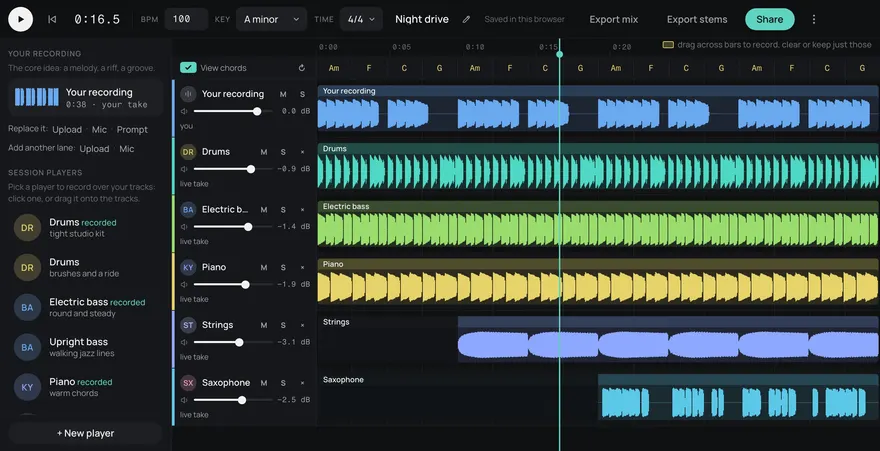
This is an example. Describe your own above and it comes like this too: solo a part, redo one, download them, or edit it in Studio.
Your songs
Songs made here
Made from these words on this page, each with its stems. Move a level, or press M or S, to hear a part on its own.
- Unlimited MP3 downloads on every plan, Free included. Unlimited stems with any credit pack, from $3. 5 songs a month free, then 5¢ a song.
- Stems on every plan, Free included. Free gets 3 stem downloads a month.
- Royalty-free for commercial use on every plan.
- Instrumental, up to two minutes a song.
How it works
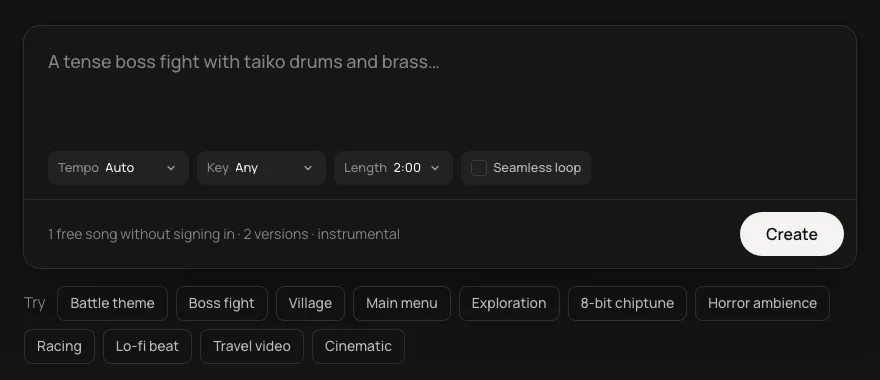
- Start from the words in the box. "calm lo-fi study beats with soft dusty drums, mellow rhodes chords and gentle vinyl crackle". Change any of them, or pick an idea under the box.
- Pick the shape. Seamless loop is on, for music that repeats without a click. Pick a tempo, a key and a length, or leave them on Auto.
- Get your track with its stems. Play it, download the mix or the stems, or open it in Studio to change the parts.
What to leave out
Study music works when you stop noticing it. That's mostly about what isn't there:
- No sudden changes. Ask for "steady", "no build", "no drops". A big drum fill or a key change pulls you out of a paragraph.
- No busy lead. A melody that keeps asking for attention competes with reading. Chords and a soft pulse are enough.
- No vocals. Every track here is instrumental, so there are no words to follow.
Pick a steady tempo
A fixed tempo helps a long session feel even. Set it in the Tempo menu rather than leaving it on Auto:
- 60 to 75 BPM for reading and writing, slow and unhurried.
- 75 to 90 BPM for most work, the lo-fi range.
- 90 to 110 BPM for repetitive tasks like sorting notes or coding, with a little more drive.
Keep the same tempo and key across a few tracks and you can play them back to back without a jolt.
Hours without a gap
Seamless loop is on here, so each track is made to repeat with no click where it wraps. Put one on for a whole session, or make a set of loops for a study stream. For more beat-driven tracks, try the lo-fi music generator; for something with no rhythm at all, ambient music.
Questions
Lo-fi, piano or ambient: which is best for studying?
It's personal. Lo-fi has a gentle beat that keeps time, piano suits reading, ambient has no rhythm at all. Make one of each and keep the one you forget is playing.
How do I stop a track from building up?
Say so in the description: "steady", "no build", "same energy throughout". Setting a fixed tempo helps too.
Can I remove the drums?
Yes. Each track comes as five stems, so you can drop the drums and keep the keys and bass for a softer version.
Can I run a study music channel with it?
Yes. Every song is royalty-free for commercial use on every plan, Free included, monetized channels and streams too.
Can it play for hours?
Leave Seamless loop on, as it is here, and the track is made to repeat without a gap, so it can play for as long as you work.
Can I use the music in a commercial game or video?
Yes. Every song is royalty-free on every plan, Free included: use it in commercial games, videos, streams, podcasts and apps.
Can I use it in Claude or ChatGPT?
Yes. Add https://gen.daydream.live/mcp as a custom connector in Claude, or as a custom MCP server in ChatGPT, or add the Daydream app from ChatGPT's directory, and sign in with your Daydream account. Then describe a song in the chat: it plays there with its stems in their own lanes, and if you ask for new drums it makes that part again with the other four as they are. It spends the same credits as this page, 5 a song. How to add it.