an ancient ruins exploration theme with low choir pads, slow harp and distant wind-like stringsExample
Drums
Bass
Guitar
Keys
Other
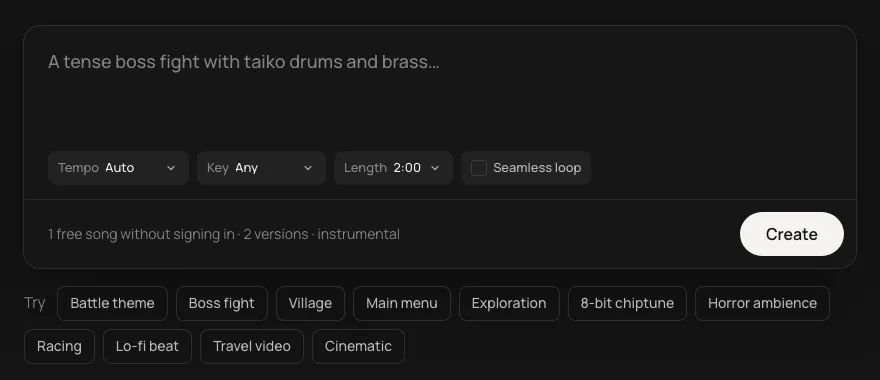
Every part of a game has its own music: the title screen, the town, the dungeon, the boss, the jingle when it's over. Find the page for yours, or describe it here.
This is an example. Describe your own above and it comes like this too: solo a part, redo one, download them, or edit it in Studio.
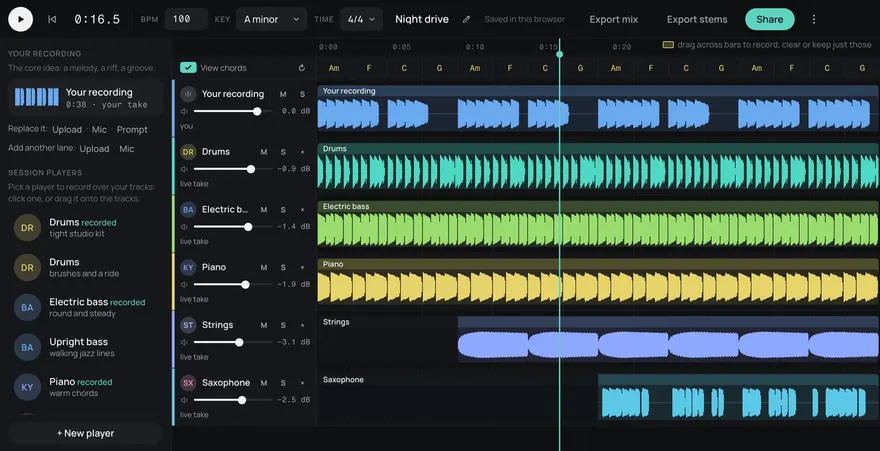
Made from these words on this page, each with its stems. Move a level, or press M or S, to hear a part on its own.
A game's soundtrack is a set of small jobs. The title screen sets the tone, the town is heard a hundred times, the dungeon has to stay tense without wearing anyone out, and the boss gets the biggest drums you have. Each page here is set up for one of those jobs, with ideas that fit it, so you can work through your game a scene at a time.
Cues sound like they belong to one game when they share a key and sit near the same tempo. Pick both for your first track and set them again for the next, so the town theme can cross-fade into its battle theme and a victory sting lands where the fight left off. A few instruments that come back across scenes (the same flute, the same low strings) do the rest.
Every track comes as five stems (drums, bass, guitar, keys and other). They line up exactly and add up to the mix, so you can load them as layers and bring the drums in when an enemy spots the player, then take them out again. Turn on Seamless loop for anything a player stays in, and turn it off for stings and endings.
Pick the shortest length, turn Seamless loop off and ask for a short cue: "a two-second rising fanfare", "a falling game over sting". Trim it to the hit in your engine or editor.
Ask for fewer things: a drone, a slow pulse, one sparse melody. Then drop a stem or two for the quiet rooms and bring them back near the boss.
Start from the moment you're scoring (a boss fight, a town, a menu) or from the kind of game. Every page is the same generator, set up with ideas for that use, so you can move between them.
5 songs a month are free with a Daydream account, and 5¢ a song after that, in credit packs from $3 (60 songs), the API included. Credits never run out at the end of the month, and any pack is unlimited downloads, WAV and stems. A song is one description, and each comes with its stems.
Yes. Every song is royalty-free on every plan, Free included: use it in commercial games, videos, streams, podcasts and apps.
Yes. Add https://gen.daydream.live/mcp as a custom connector in Claude, or as a custom MCP server in ChatGPT, or add the Daydream app from ChatGPT's directory, and sign in with your Daydream account. Then describe a song in the chat: it plays there with its stems in their own lanes, and if you ask for new drums it makes that part again with the other four as they are. It spends the same credits as this page, 5 a song. How to add it.