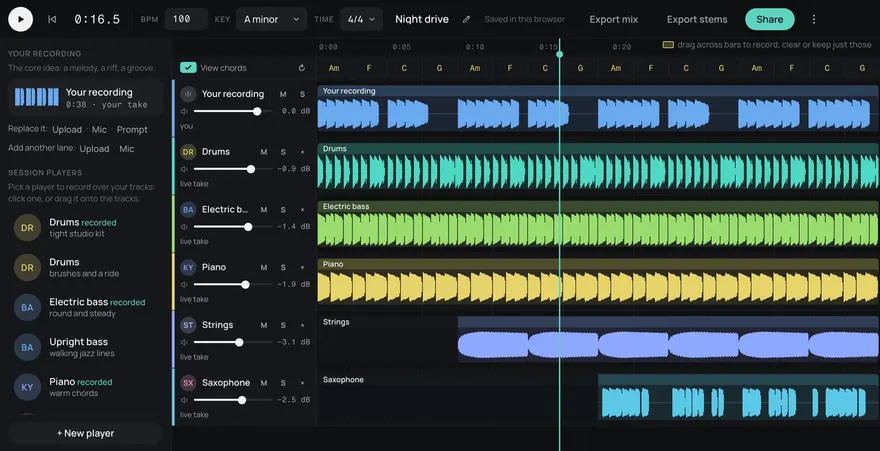
a bright, catchy mobile game loop with plucky synths, light marimba and a punchy, simple beatExample
Drums
Bass
Guitar
Keys
Other
Short sessions, small speakers, and often the sound off. Make catchy loops that read on a phone speaker, plus the menu themes and reward jingles that bring players back.
This is an example. Describe your own above and it comes like this too: solo a part, redo one, download them, or edit it in Studio.
Made from these words on this page, each with its stems. Move a level, or press M or S, to hear a part on its own.
Most mobile players hear your music through a small speaker that drops most of the low end. A track carried by its bass goes thin; a track carried by a clear mid-range melody still works.
Many people play with the sound off, too, so the game should never depend on the music to tell the player something.
Mobile sessions are short and frequent. Players hear the opening of your music many times a day, so make sure the first bars are good. Turn on Seamless loop for levels and menus, and keep loops tight. Rewards, level clears and daily bonuses want short jingles with Seamless loop off, in the key of the loop under them.
Use the MP3 while you prototype and pick the file that suits your build once the soundtrack is settled.
Live games get events: a holiday, a new season, a limited mode. Keep your main tempo and key and make a new loop with seasonal instruments, so the event sounds new and the game still sounds like itself. Five songs a month are free, then 5¢ a song in credit packs from $3, so a new event track costs little. Every track comes as five stems (drums, bass, guitar, keys and other), so the event theme can also drop to a calm version on the event's menu.
Yes, a light loop helps the menus feel alive. Keep it quieter than gameplay and let a settings toggle turn music and sound effects off separately.
Bright, simple and upbeat: plucked synths, marimba, light drums, a major key. For idle games, slow it down and soften it, since players leave them running.
Put the tune in the middle: plucky synths, marimba, bells, guitar. A phone speaker drops most of the low end, so a track carried by its bass goes thin, while a clear mid-range melody still comes through.
Yes. Every song is royalty-free on every plan, Free included: use it in commercial games, videos, streams, podcasts and apps.
Yes. Add https://gen.daydream.live/mcp as a custom connector in Claude, or as a custom MCP server in ChatGPT, or add the Daydream app from ChatGPT's directory, and sign in with your Daydream account. Then describe a song in the chat: it plays there with its stems in their own lanes, and if you ask for new drums it makes that part again with the other four as they are. It spends the same credits as this page, 5 a song. How to add it.