Drums
Bass
Guitar
Keys
Other
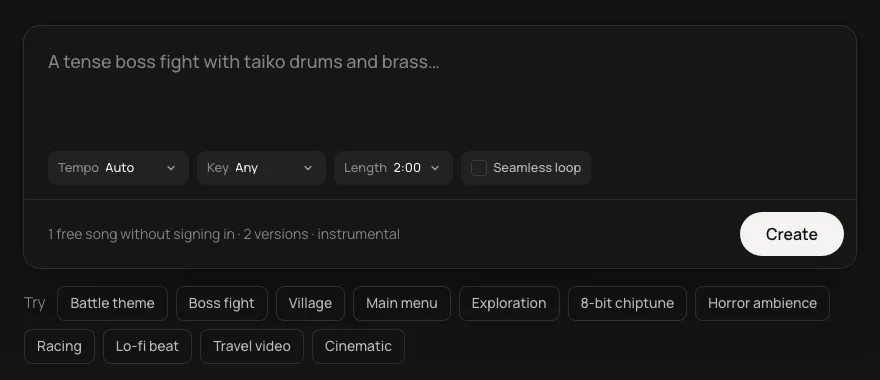
Music made for your video when you ask for it, from your own description: steady enough to sit under a voice, with the energy your edit needs.
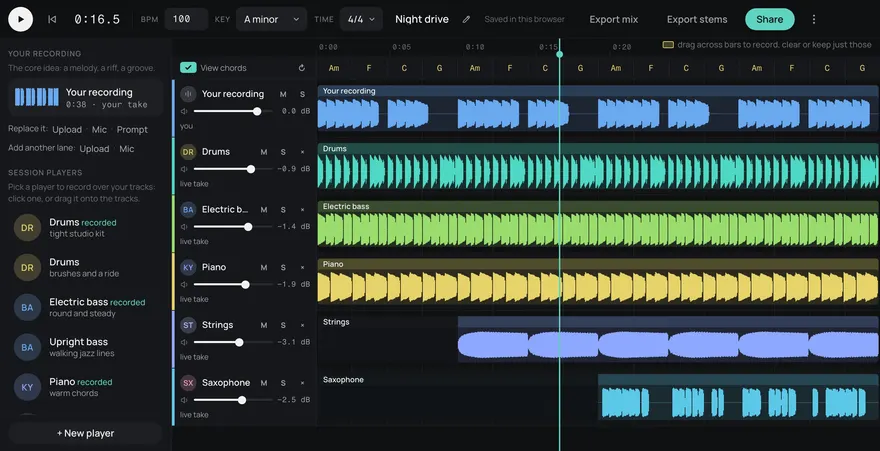
This is an example. Describe your own above and it comes like this too: solo a part, redo one, download them, or edit it in Studio.
Made from these words on this page, each with its stems. Move a level, or press M or S, to hear a part on its own.
Most YouTube videos are someone talking. The music has to keep the energy up without fighting the voice. Every song comes with five stems (drums, bass, guitar, keys and other). While you talk, mute the parts carrying the melody, usually keys, guitar or other, and keep the drums and bass. Bring the full mix back for b-roll, the intro and the end screen.
Stems are on every plan, Free included.
Set the BPM and your edit points fall on a grid. At 120 BPM there's a beat every half second, 15 frames at 30 fps. Cut on the beat for montages and b-roll, and the video feels edited to the music even when it wasn't.
For a short video, one is fine. For anything over a few minutes, make a track per section, same tempo and key, different mood words, so the music moves with the video instead of repeating behind it.
Slower tracks, around 80 to 100 BPM, leave more space for speech. Faster ones suit montages, gaming and b-roll.
Keep the instruments in the description the same each time, and the same key. Your videos get their own tracks that still sound like one channel.
The music is made for you from your own description, not taken from a stock library, and it's royalty-free for commercial use, monetized videos included.
Yes. Every song is royalty-free for commercial use on every plan, Free included.
Yes. Every song is royalty-free on every plan, Free included: use it in commercial games, videos, streams, podcasts and apps.
Yes. Add https://gen.daydream.live/mcp as a custom connector in Claude, or as a custom MCP server in ChatGPT, or add the Daydream app from ChatGPT's directory, and sign in with your Daydream account. Then describe a song in the chat: it plays there with its stems in their own lanes, and if you ask for new drums it makes that part again with the other four as they are. It spends the same credits as this page, 5 a song. How to add it.