Music generation API
Send a description, get a song back as an MP3 and a WAV: instrumental, up to two minutes, royalty-free for commercial games and videos. The same songs as the generator: 5 free songs your first week, then 2 every week, then 5¢ a song, in credit packs from $3 (60 songs).
For an AI assistant: copy this page as Markdown, or read llms.txt and the OpenAPI spec.
At a glance
| Price | 5 free songs your first week, then 2 every week with a Daydream account, then 5 credits ($0.05) a song from credit packs starting at $3 (60 songs). The API is pay as you go: 5¢ a song from the same credit packs, with no subscription. Credits never expire. Agents with no account: $0.05 a song over HTTP 402. |
|---|---|
| Licence | Royalty-free for commercial use (games, videos, streams, podcasts, apps) on every plan, Free included. |
| Vocals | Instrumental only: no vocals or lyrics. |
| Sound effects | A description with no music in it (rain, footsteps, a crowd, an explosion) comes back as a sound effect: one stereo take up to 30 seconds, MP3 and WAV, no stems. Nothing to switch: anything with music in it is a song. A sound effect costs the same as a song. |
| Length | 2 seconds to 2 minutes, or a seamless loop. |
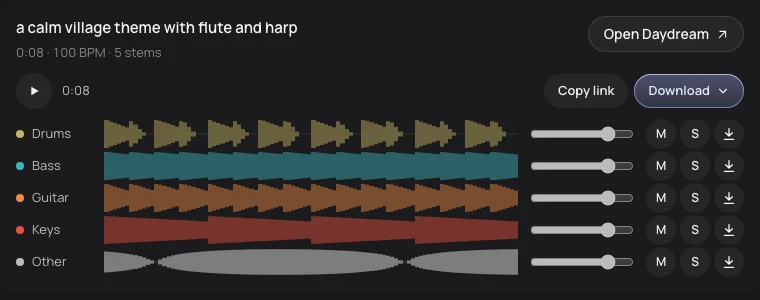
| Audio | The mix as an MP3 (192 kbps) or a WAV (16-bit, 48 kHz), stereo; five stems (drums, bass, guitar, keys, other) as lossless FLAC, 16-bit, 48 kHz, made with the song and adding up to the mix exactly. |
| Speed | Under half a minute for a short song, once it's next in line. |
| Where | The generator page, the API, and an MCP server for Claude, ChatGPT and other agents. |
Full terms: daydream.live/terms.
Quick start
- Get a key. Sign in on your Daydream dashboard, press Create, and copy the key (it's shown once).
- Buy a credit pack. A song through the API is 5 credits, and $3 makes 60. A new key has none, so its first song answers
402pack_requireduntil you do. (The free songs are for the generator page and the MCP server.) - Make a song.
POST /v1/songswith a description. It comes back at once, in line. - Poll until it's done, every 2 seconds, then download
takes[0].mp3_url.
curl https://gen.daydream.live/v1/songs \
  -H "Authorization: Bearer $DAYDREAM_API_KEY" \
  -H "Content-Type: application/json" \
  -d '{"prompt": "a calm village theme with flute and harp", "loop": true}'
Base URL: https://gen.daydream.live/v1. Requests and responses are JSON. The OpenAPI spec describes every endpoint, for code generators and AI agents.
Moving code off the ElevenLabs Music API? Switching from ElevenLabs maps each field of its call onto this one.
In Claude and ChatGPT
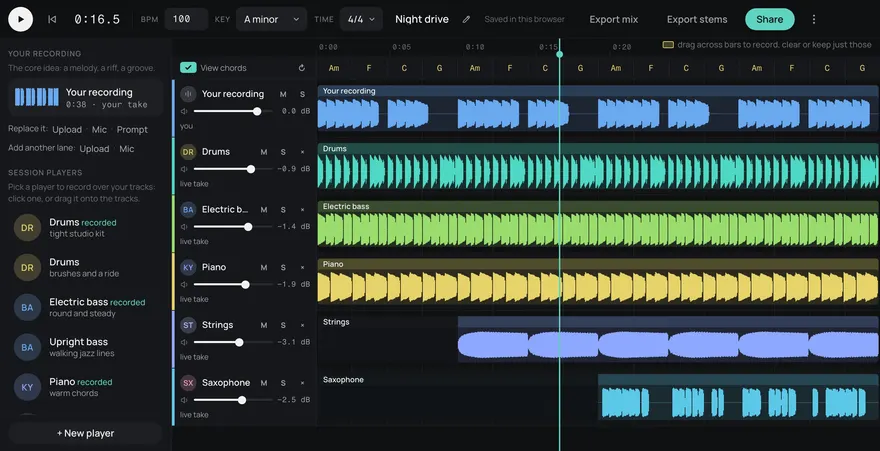
The generator is also an MCP server, so you can make songs in a chat: describe the music and it plays there, with its stems in their own lanes. Ask for new drums and it makes that part again with the other four as they are. Sign in with your Daydream account when asked; it spends the same credits as the API and the generator page, 5 a song.
https://gen.daydream.live/mcpClaude
In claude.ai or the Claude desktop or phone app: Customize, Connectors, Add custom connector, and paste the address above. The first time Claude makes a song it asks you to connect your Daydream account.
Claude Code
claude mcp add --transport http daydream https://gen.daydream.live/mcpThen run /mcp in a session to sign in, and ask for music where your project is: "make a 60-second looping theme for the forest level and save the stems in assets/music/forest". Claude Code shows no player; it downloads the files you ask for.
ChatGPT
At chatgpt.com/plugins, press +, then Add custom MCP server, and enter the address above, where your ChatGPT account or workspace allows custom MCP servers.
Or add the Daydream app from ChatGPT's directory.
An agent in your browser
In a browser with WebMCP (Chrome's built-in agent, or an extension's), this site's generator page offers the same tools to that agent directly, through document.modelContext. It uses the account you're signed in with on the page: no key to add, and the song shows up in Your songs. Calls that spend a song are marked, so the browser can ask you first.
Any MCP client
Streamable HTTP. Sign in with OAuth, or send a Daydream API key as Authorization: Bearer <key>. The tools:
| Tool | What it does |
|---|---|
create_song | Make a song from a description, with tempo, key, length, loop and seed, as POST /v1/songs takes them. It can also follow a chord chart, be made for a picture, take a reference track's tempo and key, or make a plan from plan_song. |
get_song | A song: where it is in line, its versions, their MP3, WAV and stem links. |
redo_stem | Make one part of a version again; the other four stay exactly as they were. |
undo_stem | Take back the last redo. |
list_songs | Your songs, newest first. |
get_songs_left | Songs left: a free account's this week (and what its credits make), or a plan's this month. |
score_video | The sound for a video up to 1 minute long: music to what happens on screen, sound effects for what's seen, or both. You get the audio, and the video with it on. |
plan_song | How a song would be made, without making it: the description, which parts play, length, tempo, key and chart. create_song with its plan_id makes exactly that. |
Keys
Send your Daydream API key on every request:
Authorization: Bearer <your key>A key can do anything on its account, so keep it on your machine or your server: out of web pages, repositories and game builds you ship. Generate music in the editor, in a build step, or from your own backend, and ship the files.
Pay per song, no account
No key? A song costs $0.05, paid in USDC over HTTP 402. Send POST /v1/songs without Authorization and it answers 402 with the price, offered two ways: MPP (the WWW-Authenticate: Payment header: USDC on Tempo or Base) and x402 (the PAYMENT-REQUIRED header: USDC on Base). A client that speaks either pays and sends the same request again, and gets the song back as with a key, plus an access_token.
npx mppx https://gen.daydream.live/v1/songs \
  -J '{"prompt": "a calm village theme with flute and harp"}'
Poll the song with that token as the key, Authorization: Bearer <access_token>, on Get a song. It reads that one song and nothing else; the audio and stem links need no key. Keep it: it's the only way back to the song. The receipt comes in the Payment-Receipt header (MPP) or PAYMENT-RESPONSE (x402).
A paid song that fails to render is refunded to the wallet it came from, on its own. A payment that doesn't go through (not enough USDC on that network, a bad signature, an expired one) answers 402 with "error": "payment_failed", the reason, and a new challenge to pay with: nothing was taken. A Daydream account is cheaper for more than a few songs: 5 free songs your first week, then 2 every week.
Retrying a paid request: the same song, for 24 hours
If the answer to a paid request is lost on the way, send the same request again within 24 hours, with the same payment or the same Idempotency-Key header (16 to 255 characters). You get the same song back, as it stands now, with the same access_token, marked Idempotent-Replayed: true, and you pay nothing more. A pack's retry gets the same token and the songs left on it.
After 24 hours the answer is forgotten: the same payment is refused as already used, and a new payment makes a new song. So keep a paid request's Idempotency-Key with it, and retry within the day; a retry later than that is a new song, not the one you paid for. To get back to a song after that, keep its access_token and use Get a song.
10 songs for $0.50
Or buy 10 songs at once. POST /v1/packs answers 402 for $0.50, payable in USDC (MPP or x402) or by card through Link's agent wallet (MPP). Paid, it answers 201 with an access_token: send it as the key, Authorization: Bearer <access_token>, on Make a song, and each song comes off the pack. It also reads those songs, and GET /v1/usage says how many are left. A song that fails gives its song back to the pack. Once the 10 are made, a new song answers 402 with "error": "pack_used": buy another pack.
npx mppx https://gen.daydream.live/v1/packs -X POSTYour songs
Through the API, every song costs 5 credits ($0.05) from the credits you buy, so a key needs a credit pack. A free account's free songs (5 the first week, then 2 every week) are for the generator page, Studio, and ChatGPT and Claude, not the API. The credits are shared by all of them:
| Where the credits come from | Songs |
|---|---|
| Free (not through the API) | 5 the first week, then 2 every week |
| Credit pack, $3 | 60 (300 credits) |
| Credit pack, $18 (10% off) | 400 (2,000 credits) |
| Credit pack, $40 (20% off) | 1,000 (5,000 credits) |
| Credit pack, $70 (30% off) | 2,000 (10,000 credits) |
One POST /v1/songs is one song, with one or two variations. Its credits are taken when you create it; if it fails, they're given back. Pack credits don't expire; the free songs come back each week, counted from the day you signed up (UTC). An account on a Songs, Pro or Max plan keeps its plan's songs a month instead, through the API too. With no credits, a new song answers 402 pack_required with a buy_url. Pricing
Make a song
POST /v1/songs
| Field | Type | What it does |
|---|---|---|
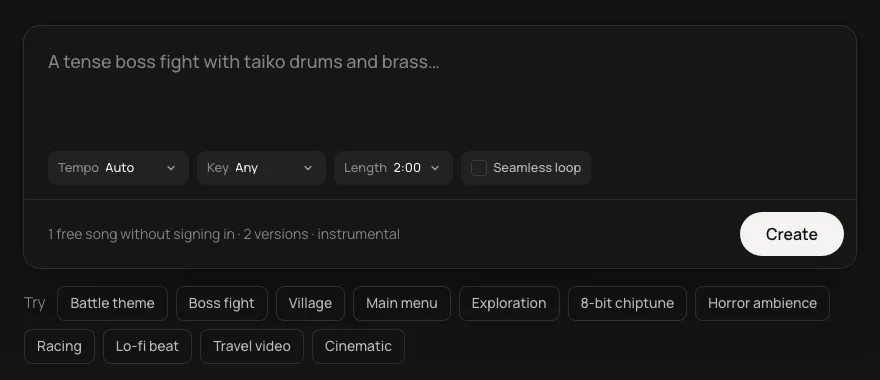
prompt | string, required | What the song is, 1 to 400 characters: genre, mood, instruments, scene. A sound with no music in it makes a sound effect instead. Instrumental only: words asking for vocals or lyrics are dropped. Artist names are not allowed and are removed from prompts before generation; the answer then has artist_names_removed: true. |
duration | number | Seconds, 2 to 120. Default 120. From 10 seconds, the whole bars that cover it: at least as long as asked, never shorter, up to two minutes. Under 10 seconds, exactly as long as asked. |
bpm | integer | 60 to 200. Default: a tempo the words name ("at 90 bpm"), else the genre's usual one, else 100. |
key | string | One of the 24 major and minor keys: "C major", "F# minor", "A minor"… Default: none. |
loop | boolean | A seamless loop: made to repeat, in whole bars, no fade. As many whole bars as come nearest duration (default 120), or the bar count the prompt names. Default false. |
seed | integer | 0 to 2147483647. Default random. Variation n uses seed + n − 1. |
variations | 1 or 2 | How many versions. Default 1. Either way it's one song. |
like | string | The id of one of your songs for this one to sit beside (a soundtrack's next theme, this week's music for a channel). It takes that song's tempo and key, unless you send bpm or key. |
The prompt is read before the song is made. A length, bar count, tempo, key or loop it names ("a 3 second sting", "an 8-bar loop at 90 bpm in F# minor") is used over the matching field, and the answer's duration, bpm, key and loop show what was used. The answer's prompt stays as you sent it.
A part the prompt rules out ("no drums", "solo piano") is left out of the mix, and a part asked to be quiet is mixed at half level. A version names both: muted and quiet.
It answers 202 with the song, queued:
{
  "id": "sng_4hT2kq9XbV1nLm0pQe3rZa",
  "status": "queued",
  "kind": "song",
  "position": 2,
  "prompt": "a calm village theme with flute and harp",
  "duration": 120,
  "bpm": 70,
  "key": null,
  "loop": true,
  "seed": 482113,
  "variations": 1,
  "created_at": "2026-10-15T09:12:03Z",
  "finished_at": null,
  "error": null,
  "takes": []
}
Get a song
GET /v1/songs/{id}
Poll it every 2 seconds until status is done or failed:
| status | Means |
|---|---|
queued | In line. position is its place (1 is next). |
rendering | Being made. parts and playable may list audio that plays already. |
done | Ready: takes has one entry per variation. |
failed | It didn't finish. error says why; the song is given back. |
{
  "id": "sng_4hT2kq9XbV1nLm0pQe3rZa",
  "status": "done",
  "position": null,
  …
  "finished_at": "2026-10-15T09:12:15Z",
  "takes": [
    {
      "n": 1,
      "seed": 482113,
      "duration": 120,
      "waveform": [0.21, 0.34, 0.52, …],
      "shape": { "fullness": 0.41, "starts": "soft", "ends": "fades", "arc": "builds" },
      "mp3_url": "https://gen.daydream.live/v1/songs/sng_4hT2kq9XbV1nLm0pQe3rZa/1.mp3",
      "wav_url": "https://gen.daydream.live/v1/songs/sng_4hT2kq9XbV1nLm0pQe3rZa/1.wav"
    }
  ]
}
Play it while it's made. While a song is rendering, parts may list the segments of each version's mix that are up, in order: n is the version, k the segment out of count, seconds its length, and mp3_url (/v1/songs/{id}/{n}.part{k}.mp3) plays it. Play them one after another as they come. playable lists the versions whose whole MP3 is up before the rest of their files. Both are for listening early: parts is empty once the song is done, and the files to keep are the ones in takes.
Choosing between two versions. shape says how each one goes, read off its waveform: fullness from 0 to 1 (low for a sparse bed under a voice, high for a wall of sound), how it starts (soft or full) and ends (fades, soft or full), and its arc (builds, eases or steady). It describes the level, not the music.
Another account's song answers 404.
List your songs
GET /v1/songs?limit=20&cursor=…
Newest first. limit is 1 to 100 (default 20). Pass the next_cursor you got back for the next page; it's null on the last one.
{ "songs": [ … ], "next_cursor": "eyJ0IjoxNzYw…" }Rename or delete a song
PATCH /v1/songs/{id}
Send {"title": "Night drive"} to name a song, up to 80 characters. The answer is the song, with its title. The name is shown in place of the prompt on its page and names its downloads. "" or null takes the name off.
PATCH /v1/songs/{id}/{n}
The same body names one version of a finished song, n being 1 or 2, and leaves the other as it is. The answer is the song, with the name as that version's title in takes. A version with no name of its own goes by the song's title, then by the prompt. "" or null takes the version's own name off; on a version that goes by the song's title, the song's name moves to its other versions and this one goes by the prompt. A version that isn't there answers 404, and a song still being made 409.
DELETE /v1/songs/{id}
Deletes a done or failed song for good, with every version it has: its files, its stems and its share page. Its links answer 404 after. The answer is 204. A song still being made answers 409: delete it once it's done. Deleting a song doesn't give it back to the month's songs or your credits.
DELETE /v1/songs/{id}/{n}
Deletes one version of a finished song for good: its files, its stems and its share page. The other version stays in takes and keeps its n and its links. Deleting the only version left deletes the song. The answer is 204. A version that isn't there answers 404; one whose stems are still on the way answers 409: delete it once they're in.
Usage
GET /v1/usage
{ "plan": "free", "limit": 62, "used": 2, "songs_left": 60, "bonus": 0, "credits": true, "song_credits": 5, "resets_at": "2026-11-24T15:00:00Z", "per": "week" }plan is one of free, songs, pro, max, internal. limit is null when it's unlimited. songs_left is what the account can still make: the rest of this week's songs (a free account, counted by the week from signup; per says which) or this month's (a plan), plus songs earned by inviting a friend (bonus) and what its credits make, at song_credits credits a song (credits is true when it has bought credits). A free account asking with its key gets "api_uses_credits": true, and songs_left is what its credits make (with a buy_url when that's none).
Audio links
/v1/songs/{id}/{n}.mp3 and /v1/songs/{id}/{n}.wav redirect to the file. They need no key and they don't expire, so you can store them and load them straight from a game engine or an <audio> tag. Anyone with a link can download that file. Follow redirects (curl -L).
MP3 is 192 kbps, WAV is 16-bit; both are stereo at 48 kHz.
Sound effects
Describe a sound with no music in it and the same request makes a sound effect: "heavy rain on a tin roof with distant thunder", "a sword clashing against a metal shield", "a busy city street with traffic and people talking". There's no flag to set. Anything with music in it, sounds around it included ("a lofi beat with rain"), is a song, and so is anything unclear.
kindis"sfx"from the moment it's queued ("song"otherwise).- Each version is one stereo take, up to 30 seconds: a longer
durationmakes 30 seconds.bpm,keyandloopdon't apply. - A version has
mp3_urlandwav_urlonly, with no stems. - It costs the same as a song, and works the same in the MCP server's
create_song.
Stems
A version can come with 5 separate stems beside the full mix: drums, bass, guitar, keys, other. They are the same length and lined up sample for sample, and the mix is their sum. When the prompt rules a part out ("no drums", "solo piano"), that part is left out of the mix and named in the version's muted; a part asked to be quiet is mixed at half level and named in quiet. All 5 stem files are still there at full level, so the mix is the stems' sum only when no part is muted or quiet. Check for the stems key on a version: versions made without stems don't have it, or any of the fields below. Nothing in Make a song turns stems on or off.
A song is done as soon as its mix is ready, and its stems follow a few seconds later. Until then a version that will have them says "stems_ready": false and has no stems yet: keep polling the song until it says true. If a version's stems don't come through, the field goes away and the version has none; the song itself is never failed for it.
Each entry of takes that has stems carries these fields. The links need no key and don't expire, like the audio links:
{
  "n": 1,
  …
  "stems_ready": true,
  "stems": {
    "drums": "https://gen.daydream.live/v1/songs/sng_4hT2kq9XbV1nLm0pQe3rZa/1/drums.flac",
    "bass": "…/1/bass.flac",
    "guitar": "…/1/guitar.flac",
    "keys": "…/1/keys.flac",
    "other": "…/1/other.flac"
  },
  "stem_waveforms": { "drums": [0.1, 0.4, …], … }
}
Each stem is a FLAC file: lossless, 16-bit, stereo, 48 kHz. It holds exactly the samples a WAV would, at about a third of the size, and most audio tools and game engines open it. To get a WAV, convert it, for example ffmpeg -i drums.flac drums.wav. stem_waveforms is each stem's shape for drawing, 100 peaks from 0 to 1.
| Route | What it is |
|---|---|
GET /v1/songs/{id}/{n}/{stem}.flac | One stem as a FLAC. {stem} is one of drums, bass, guitar, keys, other. |
POST /v1/songs/{id}/{n}/{stem}.flac | With a key and {"action": "redo"}: that stem made again, the other four exactly as they are. {"action": "undo"}: back to how the version was before its last redo. |
POST /v1/plan | The same body as POST /v1/songs: how the song would be made (its description, parts, length, tempo, key and chart), nothing made or counted. Send its plan_id to POST /v1/songs within the hour to make exactly that. |
POST /v1/uploads | {"type": "video/mp4", "bytes": …}: a link to PUT a video to (MP4, MOV or WebM), and its video.key for POST /v1/songs. |
More than words. POST /v1/songs also takes chords (a chart, "| Dm7b5 | G7b9 | Cm7 | Cm7 |", or a progression in words, "a ii-V-I in C minor"), picture ({"download_url": "https://…"}, a JPEG, PNG, GIF or WebP up to 5 MB: the music is made for it, and the prompt is optional) and reference (a track, MP3, WAV, M4A, FLAC or OGG up to 25 MB: the song takes its tempo and key unless you send your own). The answer's inputs says which shaped the song.
Score a video. Send {"video": {"url": "https://…"}, "score": {"sound": "both"}} (or "music", "sound_effects"), or a video.key from POST /v1/uploads (for a file in a browser, 20 a day: a server sends its users' videos by url), with words if you like. Up to 1 minute long. The version comes back with an MP3 and a WAV of the sound, and video_url, the video with it on. Music and sound effects count as a song each, and reading the video takes 25 credits; your first video is free. With no key, pay for it over HTTP 402 as for a song, by its link: 0.30 USD for music or sound effects, 0.35 USD for both. Send a seed and the same video, sound and words give back the version already made, not counted again.
To make your own mix, play the stems together from the same start time, or add them up sample by sample, each times the level you want. A version with no stems answers 404 on this route.
Redo a stem. Don't like the drums? POST to the drums' link with {"action": "redo"} and your key. It answers 202 with the song, its version saying "redo": {"making": "drums"}; poll the song until that's gone (about a minute). The version then plays the new drums, and its mp3_url, wav_url and the drums' link give the new take and the mix made with it, while the other four files stay the same to the byte. A redo counts as one song. One stem at a time per version: another redo while one is being made answers 409 redoing.
Undo it. While a version shows "redo": {"undo": "drums"}, {"action": "undo"} on any of its stem links puts it back as it was before that redo, for free. Only the last redo can be undone (409 nothing_to_undo otherwise).
Errors
Every error is JSON with a code to branch on and a sentence to show:
{
  "error": "limit",
  "message": "You've used this week's free songs. Your songs refill on November 24, or you can earn more by inviting a friend. Credit packs start at $3 for 300 credits: https://daydream.live/pricing",
  "limit": 5,
  "used": 5,
  "plan": "free",
  "credits": true,
  "upgrade_url": "https://daydream.live/pricing"
}| Status | error | When |
|---|---|---|
| 400 | invalid | A field is wrong; the message names it. |
| 401 | unauthorized | A key that doesn't work. |
| 402 | pack_required | A free account with no credits, through the API: songs through the API are 5 credits each. Comes with buy_url, where to buy a pack ($3 makes 60 songs). |
| 402 | limit | Out of credits (with credits: true), or a free account's week of songs or a plan's month of them are used up. Comes with plan and upgrade_url, and a plan's limit and used. |
| 402 | payment_required | No key: pay $0.05 for the song, or send a key. See Pay per song. |
| 402 | payment_failed | The payment didn't go through; the message says why. Nothing was taken. A payment that was already used is a lost answer: retry within 24 hours (see Retrying a paid request). |
| 402 | pack_used | A pack's 10 songs are made. Buy another: see 10 songs. |
| 402 | key_required | Redoing a stem with a paid song's token: pay-per-song makes new songs only. Send a Daydream API key. |
| 503 | payments_unavailable | No key, and payment can't be taken just now. Nothing was charged. Try again after Retry-After (60 seconds), or send a key. |
| 404 | not_found | No such song on this account. |
| 429 | too_many | Three of your songs are already in line or being made. Wait for one to finish. |
| 503 | unavailable | The generator is down for a moment. Try again shortly. |
How fast
Songs are made one after another on a dedicated GPU: a short song takes under half a minute once it's next (two minutes, or two versions, take longer), and a busy moment adds a short wait in line (position tells you where you are). Poll every 2 seconds; there's no need to poll faster. You can have up to three songs in line or being made at once.
Limits
What to plan around when you build on the API.
| Songs at once | Three in line or being made per account. A fourth answers 429 too_many; send it when one finishes. |
|---|---|
| Order | Songs are made one after another. position is a song's place in line, and a busy moment makes the line longer for everyone. |
| A request | A prompt up to 400 characters, 2 seconds to 2 minutes, one or two variations. A sound effect is up to 30 seconds. |
| Finding out it's done | Poll GET /v1/songs/{id} every 2 seconds. There are no webhooks. |
| When a song fails | Its credits are given back. 503 unavailable means the generator is down for a moment: try again shortly. |
| Audio links | Need no key and don't expire. Each one redirects to storage, so keep the gen.daydream.live link, not the address it redirects to. |
| Uptime | There's no published uptime commitment or status page yet. |
Need more songs at once, a service commitment, or terms for what your own users publish? Write to us.
Examples
curl
API=https://gen.daydream.live/v1
AUTH="Authorization: Bearer $DAYDREAM_API_KEY"

ID=$(curl -s $API/songs -H "$AUTH" -H "Content-Type: application/json" \
  -d '{"prompt": "a tense boss fight with taiko drums and brass", "variations": 2}' | jq -r .id)

while :; do
  STATUS=$(curl -s $API/songs/$ID -H "$AUTH" | jq -r .status)
  [ "$STATUS" = done ] || [ "$STATUS" = failed ] && break
  sleep 2
done

curl -sL $API/songs/$ID/1.mp3 -o boss-1.mp3
curl -sL $API/songs/$ID/2.mp3 -o boss-2.mp3
JavaScript
Node 18 or later, or any runtime with fetch. Keep the key on the server.
const API = "https://gen.daydream.live/v1";
const KEY = process.env.DAYDREAM_API_KEY;

async function api(path, init = {}) {
  const r = await fetch(API + path, {
    ...init,
    headers: { Authorization: `Bearer ${KEY}`, "Content-Type": "application/json" },
  });
  const body = await r.json();
  if (!r.ok) throw new Error(`${body.error}: ${body.message}`);
  return body;
}

let song = await api("/songs", {
  method: "POST",
  body: JSON.stringify({ prompt: "an open-world exploration theme with acoustic guitar", loop: true }),
});
while (song.status === "queued" || song.status === "rendering") {
  await new Promise((r) => setTimeout(r, 2000));
  song = await api(`/songs/${song.id}`);
}
if (song.status === "failed") throw new Error(song.error.message);
console.log(song.takes[0].mp3_url);
Python
import os, time, requests

API = "https://gen.daydream.live/v1"
HEADERS = {"Authorization": f"Bearer {os.environ['DAYDREAM_API_KEY']}"}

r = requests.post(f"{API}/songs", headers=HEADERS, json={"prompt": "an upbeat 8-bit chiptune level theme", "loop": True})
r.raise_for_status()
song = r.json()

while song["status"] in ("queued", "rendering"):
    time.sleep(2)
    r = requests.get(f"{API}/songs/{song['id']}", headers=HEADERS)
    r.raise_for_status()
    song = r.json()

if song["status"] == "failed":
    raise RuntimeError(song["error"]["message"])

with open("level.mp3", "wb") as f:
    f.write(requests.get(song["takes"][0]["mp3_url"]).content)
Unity (C#)
A component that makes a song and plays it on loop. Use it in the editor or a tool; don't ship your key in a build.
using System.Collections;
using System.Text;
using UnityEngine;
using UnityEngine.Networking;

public class GenerateMusic : MonoBehaviour
{
    const string Api = "https://gen.daydream.live/v1";
    [SerializeField] string apiKey;
    [SerializeField] string prompt = "a calm village theme with flute and harp";
    [SerializeField] AudioSource source;

    [System.Serializable] class Create { public string prompt; public bool loop; }
    [System.Serializable] class Take { public int n; public float duration; public string mp3_url; public string wav_url; }
    [System.Serializable] class Song { public string id; public string status; public Take[] takes; }

    IEnumerator Start()
    {
        Song song = null;
        var body = Encoding.UTF8.GetBytes(JsonUtility.ToJson(new Create { prompt = prompt, loop = true }));
        using (var req = new UnityWebRequest(Api + "/songs", "POST"))
        {
            req.uploadHandler = new UploadHandlerRaw(body);
            req.downloadHandler = new DownloadHandlerBuffer();
            req.SetRequestHeader("Content-Type", "application/json");
            req.SetRequestHeader("Authorization", "Bearer " + apiKey);
            yield return req.SendWebRequest();
            if (req.result != UnityWebRequest.Result.Success) { Debug.LogError(req.downloadHandler.text); yield break; }
            song = JsonUtility.FromJson<Song>(req.downloadHandler.text);
        }

        while (song.status == "queued" || song.status == "rendering")
        {
            yield return new WaitForSeconds(2);
            using (var req = UnityWebRequest.Get(Api + "/songs/" + song.id))
            {
                req.SetRequestHeader("Authorization", "Bearer " + apiKey);
                yield return req.SendWebRequest();
                if (req.result != UnityWebRequest.Result.Success) { Debug.LogError(req.downloadHandler.text); yield break; }
                song = JsonUtility.FromJson<Song>(req.downloadHandler.text);
            }
        }
        if (song.status != "done") { Debug.LogError("The song didn't finish."); yield break; }

        using (var req = UnityWebRequestMultimedia.GetAudioClip(song.takes[0].mp3_url, AudioType.MPEG))
        {
            yield return req.SendWebRequest();
            if (req.result != UnityWebRequest.Result.Success) { Debug.LogError(req.error); yield break; }
            source.clip = DownloadHandlerAudioClip.GetContent(req);
            source.loop = true;
            source.Play();
        }
    }
}
Godot 4 (GDScript)
Attach to a node with an AudioStreamPlayer child. As with Unity, keep the key out of exported builds.
extends Node

const API := "https://gen.daydream.live/v1"
@export var api_key := ""
@export var prompt := "a calm village theme with flute and harp"
@onready var player: AudioStreamPlayer = $AudioStreamPlayer

func _ready() -> void:
	var song: Dictionary = await _call("/songs", HTTPClient.METHOD_POST, {"prompt": prompt, "loop": true})
	while song.get("status") in ["queued", "rendering"]:
		await get_tree().create_timer(2.0).timeout
		song = await _call("/songs/%s" % song["id"])
	if song.get("status") != "done":
		push_error("The song didn't finish: %s" % song)
		return
	var stream := AudioStreamMP3.new()
	stream.data = await _download(song["takes"][0]["mp3_url"])
	stream.loop = true
	player.stream = stream
	player.play()

func _call(path: String, method := HTTPClient.METHOD_GET, body = null) -> Dictionary:
	var http := HTTPRequest.new()
	add_child(http)
	var headers := PackedStringArray(["Authorization: Bearer %s" % api_key, "Content-Type: application/json"])
	http.request(API + path, headers, method, JSON.stringify(body) if body != null else "")
	var res: Array = await http.request_completed
	http.queue_free()
	return JSON.parse_string(res[3].get_string_from_utf8())

func _download(url: String) -> PackedByteArray:
	var http := HTTPRequest.new()
	add_child(http)
	http.request(url)
	var res: Array = await http.request_completed
	http.queue_free()
	return res[3]
More
- OpenAPI spec (3.1) and llms.txt, for code generators and AI agents.
- Questions and bugs: Discord, or hello@daydream.live.
- More control over the parts: keep one exactly as it is while the others change, have one follow another's rhythm or melody, play your own audio on a part, or steer them while they play? It's the same five-stem engine, in a live session: the Studio API (section 14 for the five stems).