Music for gaming videos
A highlight edit, a let's play cut down to twenty minutes, a review over b-roll of the game. Describe the edit and get a track that hits with the clips and keeps out of the game's own sound.
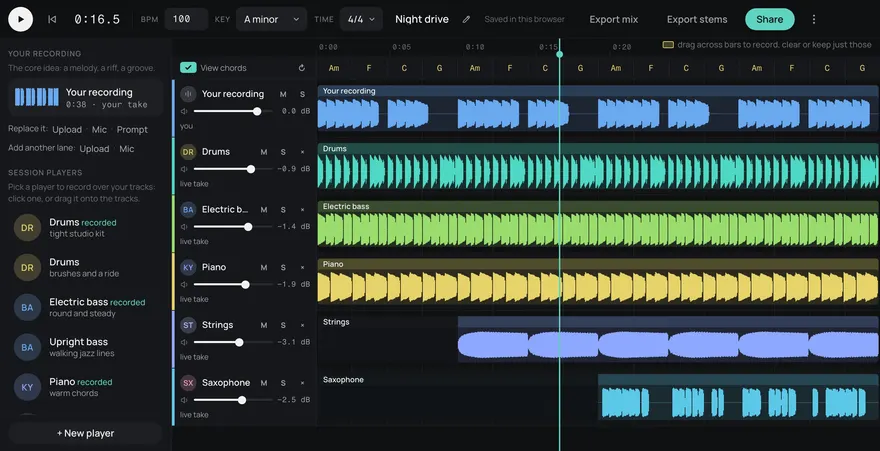
This is an example. Describe your own above and it comes like this too: solo a part, redo one, download them, or edit it in Studio.
Your songs
Songs made here
Made from these words on this page, each with its stems. Move a level, or press M or S, to hear a part on its own.
- Unlimited MP3 downloads on every plan, Free included. Unlimited stems with any credit pack, from $3. 5 free songs your first week, then 2 every week, then 5¢ a song.
- Stems on every plan, Free included. Free gets 3 stem downloads a month.
- Royalty-free for commercial use on every plan.
- Instrumental, up to two minutes a song.
How it works
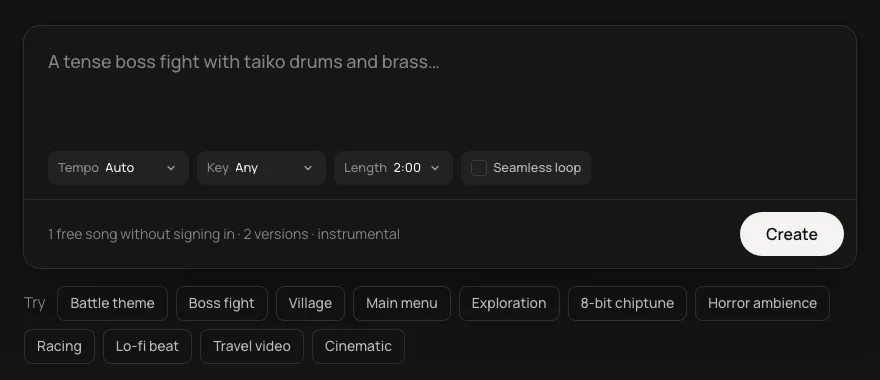
- Start from the words in the box. "a hard-hitting electronic track for a gameplay highlight edit, punchy drums, gritty synth bass and a sharp lead". Change any of them, or pick an idea under the box.
- Pick the shape. Tempo, key, length, or a seamless loop. Or leave them on Auto.
- Get your track with its stems. Play it, download the mix or the stems, or open it in Studio to change the parts.
An edit, not a stream
A gaming video is cut: the best plays of the week, a twenty minute let's play from three hours of footage, a review over b-roll. Music here drives the edit, so it can be bolder than a stream's background loop. Describe the game's feel along with the energy: "a gritty, dark synth track for a horror game highlight" or "bright and silly for a party game compilation". For loops that sit under live play, see music for your stream.
Cut the plays to the beat
Set the BPM and every kill, jump or goal can land on a beat. At 140 BPM there's a beat every 0.43 seconds, which suits fast highlight edits. At 100 BPM it's 0.6 seconds, 18 frames at 30 fps, better for a let's play that breathes. Ask for a drop and put your best clip on it.
Leave room for the game
Game sound is half of a good clip: the hit, the voice line, the crowd. Every track comes as five stems (drums, bass, guitar, keys and other). Under a loud moment, mute the keys or other stem and keep drums and bass driving. While you commentate, drop it further. Bring the full mix back for the montage at the end.
- Highlight edits: one track, up to two minutes, built to peak.
- Let's play episodes: a low loop under the whole thing.
- Reviews: a steady track per section in one key, so the video holds together.
Questions
Can I upload gaming videos with this music and keep them monetized?
The music is royalty-free for commercial use on every plan, so it can sit under the gameplay in a monetized upload. The game's own footage and sound are a separate question for the game's publisher.
What style suits my game?
Lean on the game: synthwave for neon racers, 8-bit for retro platformers, heavy drums and dark synths for shooters, soft acoustic for cosy farming games. Put the genre and the mood in one description.
Will the music clash with the game's own sound in my clips?
It can, so leave space. Ask for something with no busy lead, and under loud moments drop the keys or other stem so gunfire, voices and callouts come through.
Can I use the music in a commercial game or video?
Yes. Every song is royalty-free on every plan, Free included: use it in commercial games, videos, streams, podcasts and apps.
Can I use it in Claude or ChatGPT?
Yes. Add https://gen.daydream.live/mcp to Claude or ChatGPT (or the Daydream app in ChatGPT) and describe a song in the chat: it plays there with its stems. How to add it.
Updated