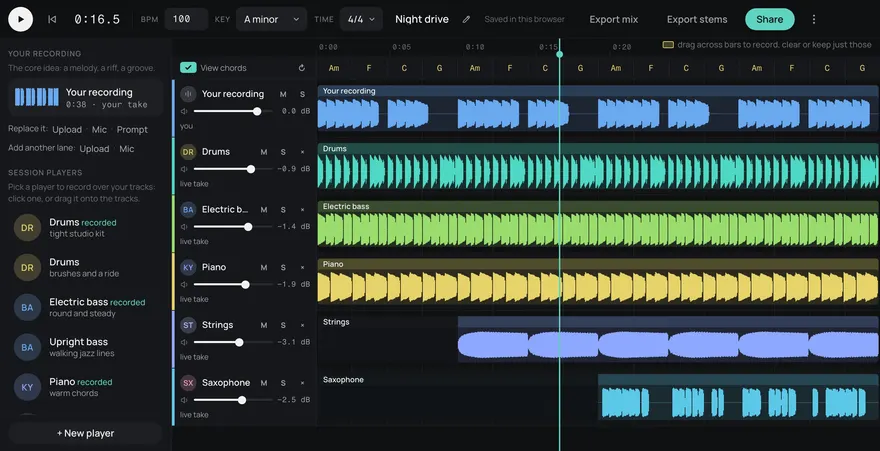
Drums
Bass
Guitar
Keys
Other
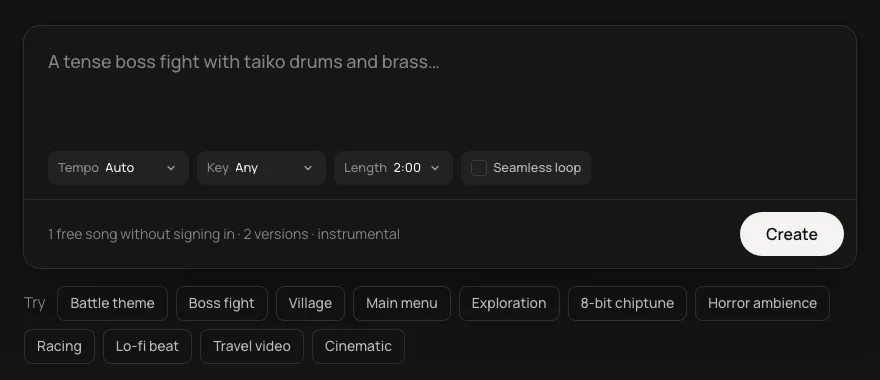
Your film has a handful of scenes that need music. Describe each one, keep the key and the instruments, and build a score that sounds written for it.
This is an example. Describe your own above and it comes like this too: solo a part, redo one, download them, or edit it in Studio.
Made from these words on this page, each with its stems. Move a level, or press M or S, to hear a part on its own.
Before you make anything, watch your cut and mark where music starts and stops. Most short films need only a few cues: the opening, a scene of tension or movement, the emotional turn and the last shot. Write a line for each: what happens, how long it is, and what the music should do ("holds back", "pushes the chase", "lets the ending land"). Each of those lines becomes a description.
A score feels written for the film when its cues share a sound. Make the main theme first, then reuse its key and lead instrument in every cue and change the tempo and mood around it:
Set each cue's length to its scene, up to two minutes, so a swell lands on the cut you want. When a scene is longer, turn on Seamless loop for the quiet stretch and end on the next cue. Every cue comes as five stems (drums, bass, guitar, keys and other): mute the drums under dialogue, or make one stem again if a part fights the scene and keep the rest. For trailer-sized music for the same film, see the cinematic music generator.
Sparingly. Let most dialogue play dry, and bring music in for silences, movement and the turns. When it does sit under speech, keep only a held part from the stems so the lines stay clear.
Name the genre and its sound together: cold analogue synths for sci-fi, pizzicato and woodwind-like tones for comedy, low drones and strings for horror or thriller. Then keep that sound in every cue.
Make the main theme first. For each scene after that, keep its key and its lead instrument in the description and change the tempo and mood, so every cue sounds like a version of it.
Yes. Every song is royalty-free on every plan, Free included: use it in commercial games, videos, streams, podcasts and apps.
Yes. Add https://gen.daydream.live/mcp to Claude or ChatGPT (or the Daydream app in ChatGPT) and describe a song in the chat: it plays there with its stems. How to add it.
Updated