Drums
Bass
Guitar
Keys
Other
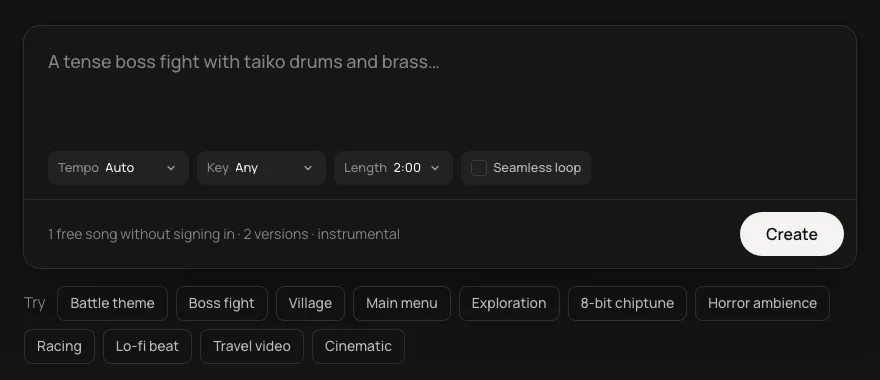
Describe the lobby, the obby or the final round, and get an original loop you can upload to Roblox the same minute. No licensing worries, and five stems if you want the music to react to the round.
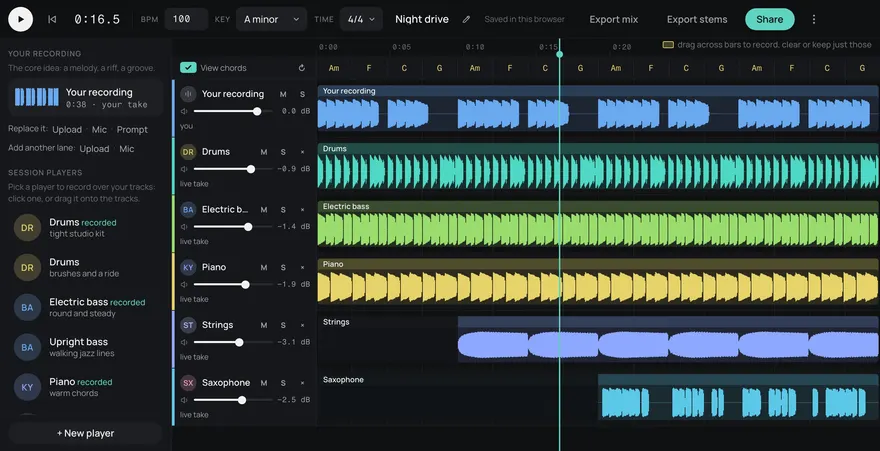
This is an example. Describe your own above and it comes like this too: solo a part, redo one, download them, or edit it in Studio.
Made from these words on this page, each with its stems. Move a level, or press M or S, to hear a part on its own.
local music = Instance.new("Sound")
music.SoundId = "rbxassetid://YOUR_ASSET_ID"
music.Looped = true
music.Volume = 0.5
music.Parent = workspace
music:Play()
The upload is private to your account until you allow an experience to use it, so a track made for your game stays in your game.
Players hear the lobby most, often for minutes at a time while a server fills, so it should be catchy without wearing thin: a bouncy beat, a short hook, nothing that grates on the tenth loop. Rounds want energy that matches the stakes, and the final round or the last stage of an obby can be the same tune with heavier drums. Short stings carry the moments in between: a countdown into the round, a win, an elimination. Make those with Seamless loop off, at the tempo and key of the loop they cut into.
Five songs a month are free, then 5¢ a song, so a fresh theme for every update or seasonal event costs very little.
Every track comes as five stems (drums, bass, guitar, keys and other) that line up exactly. Upload each one, put them in their own Sounds, start them together and change their volumes as the round moves on: pads and keys while players wait, drums and bass when the round starts.
local TweenService = game:GetService("TweenService")
TweenService:Create(drums, TweenInfo.new(1), { Volume = 0.6 }):Play()
Keep the layers in one SoundGroup so a single setting can turn the music down without touching the sound effects.
Yes. Every song is royalty-free for commercial use, on every plan, so you can use it in a paid or free experience.
Ask for a light, bouncy loop with a short hook and no busy lead playing the whole time, and keep it quieter than the round music. Making two or three lobby loops and rotating them also helps on a long wait.
The MP3. Roblox takes MP3, OGG, WAV and FLAC files under 20 MB and 7 minutes, and a Daydream song is at most two minutes, so the MP3 always fits.
Not unless you let them. Audio you upload to Roblox is private to your account, and you choose which experiences may play it in the asset's permissions.
Yes. Every song is royalty-free on every plan, Free included: use it in commercial games, videos, streams, podcasts and apps.
Yes. Add https://gen.daydream.live/mcp as a custom connector in Claude, or as a custom MCP server in ChatGPT, or add the Daydream app from ChatGPT's directory, and sign in with your Daydream account. Then describe a song in the chat: it plays there with its stems in their own lanes, and if you ask for new drums it makes that part again with the other four as they are. It spends the same credits as this page, 5 a song. How to add it.